
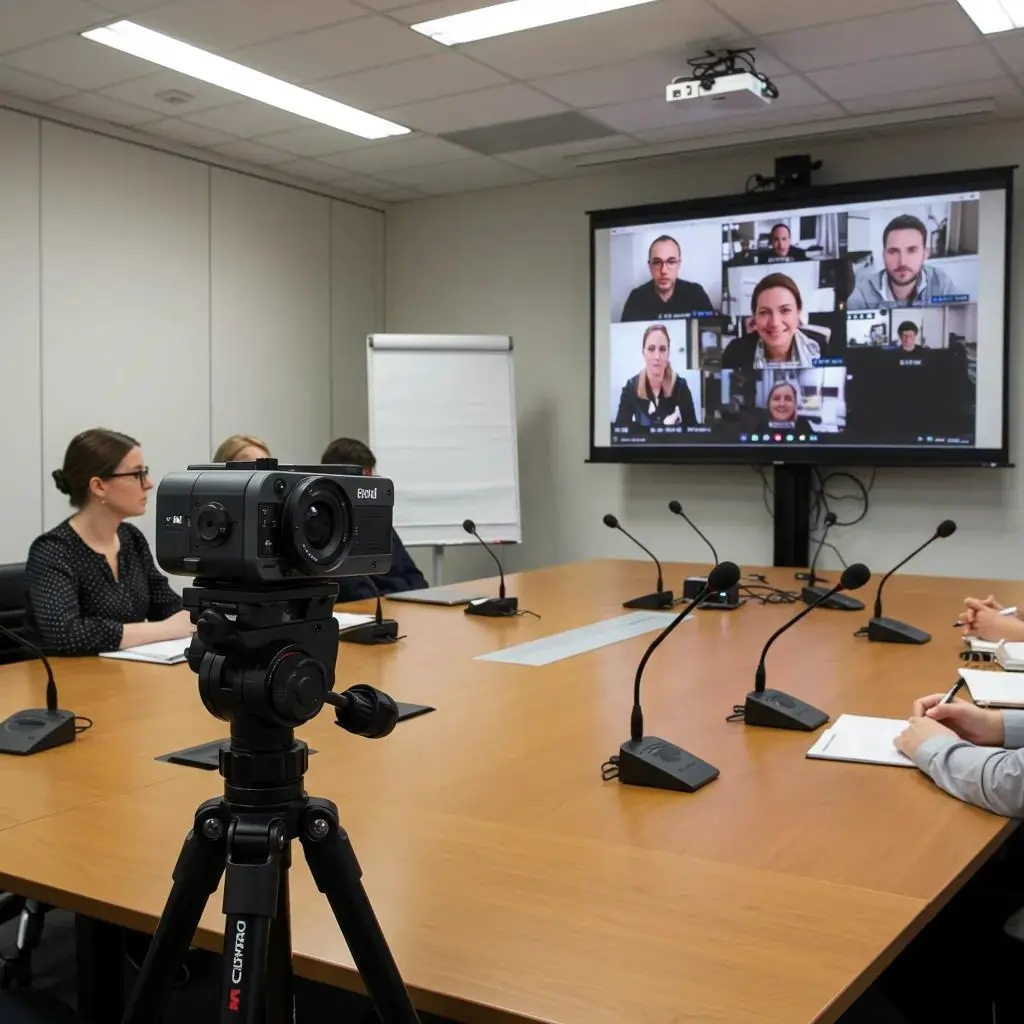
An optimised boardroom experience combines integrated audio–visual systems, reliable networking, and intuitive control to enable clear decision-making and efficient hybrid collaboration. This article explains what an optimised boardroom experience means, how integrated AV, video conferencing, intelligent audio, and automation work together, and the measurable business outcomes, better meeting velocity, fewer technical delays, and stronger governance. Readers will get a practical inventory of essential technologies, detailed guidance on advanced video conferencing and intelligent audio, recommendations for interactive displays and automation, and a security-first checklist for hybrid room design. The guide uses current 2025 trends and semantic best practice to recommend technologies for different room sizes and collaboration styles, and it shows where specialist services can help with implementation. After the essentials, the piece highlights how Genconnect Technologies positions its services to support deployments and invites organisations to request a tailored consultation.
What Are the Essential Technologies for an Optimised Boardroom Experience?
An optimised boardroom experience depends on a set of core systems working in concert: high-quality video conferencing, intelligent audio, large interactive displays, robust control and automation, resilient networking, and acoustic treatment. These systems create reliable inclusion, clear communication, and measurable reductions in meeting setup time by automating presets and ensuring consistent AV quality. Selection should be based on room size, hybrid participation ratio, and platform compatibility to guarantee that camera, microphone, codec, and display choices match organisational requirements. Understanding these essentials leads naturally to a vendor and service selection phase where implementation and support become the next priority.
This section lists the core technologies and why each matters.
- Video Conferencing Systems: Provide remote inclusion and visual collaboration across locations.
- Intelligent Audio: Ensures speech intelligibility through beamforming, DSP, and noise suppression.
- Interactive Displays & Whiteboards: Enable annotation, real–time sharing, and decision capture.
- Control & Automation: Simplifies meeting start-up through one–touch presets and scheduling integration.
- Networking & Security: Delivers QoS and segmentation for consistent, secure conferencing.
- Acoustic Treatment: Reduces reverberation and improves microphone pickup and intelligibility.
These essentials create a foundation for more advanced features such as AI cameras and automated room booking, which we explore next.
Which Boardroom AV Solutions UK Businesses Trust Most
Trusted AV solutions combine vendor-neutral hardware, platform-compatible codecs, and managed support to reduce risk and ensure uptime. Many organisations prefer systems that support Microsoft Teams Rooms, Zoom Rooms, and standards-based SIP/H.323 bridging to maintain interoperability across supplier ecosystems. Selection criteria should include open APIs for control integration, proven reliability in executive environments, and clear support SLAs to protect meeting integrity. Choosing neutral, platform-agnostic hardware simplifies upgrades and reduces vendor lock–in, which makes later additions like AI cameras or room–booking sensors easier to integrate.
What Role Do Video Conferencing Systems Play in Modern Boardrooms?
Video conferencing systems provide the visual and signalling backbone for hybrid meetings by linking cameras, microphones, codecs, and collaboration platforms into a single user flow. They reduce travel, create synchronous participation, and preserve non-verbal cues essential to high-stakes decision-making, while codecs and network QoS determine perceived quality. A typical flow starts with a one-touch meeting launch, automatic camera framing, and quality–aware stream selection based on bandwidth. Ensuring the conferencing endpoint is tightly integrated with room AV and the network is the next step to guarantee consistency.
How Do Intelligent Audio Systems Enhance Executive Meetings?
Intelligent audio systems use ceiling microphone arrays, DSP, and adaptive noise cancellation to capture every participant clearly while suppressing background noise and echoes. Beamforming and automatic gain control focus pickup on active speakers, improving transcription accuracy and reducing the need for repeat statements during executive discussions. When paired with acoustic treatment, intelligent audio reduces cognitive load and accelerates decision cycles by ensuring participants understand and act on information without ambiguity. These audio capabilities naturally support voice recognition and meeting–automation features discussed later.
Intelligent Meeting Room: Audiovisual Monitoring Software System
This paper provides an analytical review of prototypes for intelligent spaces designed for scientific and educational activities, equipped with automatic recording tools. It describes the specific characteristics and distinguishing features of an intelligent meeting room developed at the St. Petersburg Institute for Informatics and Automation of the Russian Academy of Sciences. A functional model for the automation of audiovisual monitoring of participants in activities is proposed, based on the utilisation of spatio-temporal data structuring that describes participant behaviour within the analysed room. Modern digital signal processing and pattern recognition technologies have been employed in the implementation of this proposed functional model for audiovisual monitoring in the smart conference room. New methods have been developed, specifically the method for registering activity participants and the method for audiovisual recording of their presentations. The paper presents a software system for audiovisual monitoring to automate the support of research and educational activities conducted in a smart conference room. The primary objective of the developed system is to identify events within the smart conference room, such as the time a new user enters, when speech commences, or when an audience member is given the floor.
Why Are Interactive Displays and Digital Whiteboards Critical for Collaboration?
Interactive displays and digital whiteboards enable real–time annotation, persistent session capture, and synchronous editing between local and remote participants to accelerate ideation and decision-making. High-resolution 4K multi-touch screens preserve visual detail for complex charts, while cloud–enabled whiteboards allow immediate export of session notes and action items. When displays integrate with wireless sharing protocols and conferencing platforms, participants can switch presenter control seamlessly and maintain engagement across locations. These collaborative displays set the stage for automated workflows and meeting capture that feed governance and follow-up processes.
How Does Seamless Boardroom Automation Improve Meeting Efficiency?
Seamless boardroom automation reduces administrative friction by combining calendar-triggered presets, AV routing, and environmental control into single commands that start and end meetings reliably. Automation routines, lighting scenes, display input selection, and mic presets, shrink setup time and eliminate manual configuration errors that delay executive meetings. Measurable benefits include fewer no-shows, shorter setup times, and consistent recording of decisions, which together increase overall meeting productivity. With automation in place, organisations can focus on outcomes rather than technical minutiae, enabling a stronger emphasis on governance and follow-up.
How Can Advanced Video Conferencing Systems Optimise Hybrid Boardroom Meetings?
Advanced video conferencing systems combine AI–assisted cameras, platform interoperability, and codec optimisations to create an equitable hybrid experience where remote attendees receive visual and audio parity with in–room participants. AI-powered features automate framing, speaker tracking, and gallery layouts, which improve perceived engagement and reduce moderator overhead. Integration best practices emphasise QoS, firmware lifecycle management, and vendor-neutral endpoints that bridge multiple platforms. The technical comparisons that follow help teams choose camera types and conferencing platforms aligned to their hybrid strategy.
AI cameras, platform compatibility, and codec trade-offs can be compared to select the right hardware for your room and bandwidth profile.
| Camera Type | AI Feature | Typical Deployment |
| PTZ Camera | Remote-controlled framing | Large boardrooms with dedicated operator |
| AI–Powered 4K Pan/Tilt | Automatic speaker tracking & framing | Executive rooms requiring meeting equity |
| Multi–lens 360/180 | Scene stitching & gallery views | Flexible rooms with dispersed seating |
What Are the Benefits of AI-Powered Cameras for Meeting Equity?
AI-powered cameras use speaker detection, automatic framing, and contextual framing to create a consistent remote experience that mimics being in the room. These features increase engagement and reduce the “out–of–sight” effect for remote participants, leading to higher participation rates and fewer follow-up clarifications. Privacy and governance considerations, such as on-device processing and clear notification of tracking, must be addressed during deployment to preserve boardroom confidentiality. When combined with high–quality audio and display systems, AI cameras significantly narrow the experience gap between remote and in-room attendees.
Which Platforms Support Multi-Platform Video Conferencing?
Major platforms including Microsoft Teams, Zoom, and Google Meet provide native room solutions, and interoperability can be achieved through standards-based endpoints, SIP/H.323 gateways, and bridging appliances. Choosing vendor-neutral hardware that supports multiple client APIs preserves flexibility and protects existing investments. Integration should include a test matrix for all target platforms and a fallback plan for cross-platform joining to avoid meeting interruptions. Platform choice also impacts licensing, management tools, and how IT provides user training and support.
How Does Ultra-HD Video Conferencing Improve Communication Clarity?
Ultra–HD (4K) video improves facial detail and non-verbal cue transmission, which is critical for executive decision-making where nuance matters; however, it requires proportionate bandwidth and modern codecs to prevent lag. Practical use cases justify Ultra–HD in rooms where visual artefacts could impair negotiation or when product inspections are conducted remotely. Bandwidth management practices, adaptive bitrate, selective stream activation, and prioritised QoS, ensure Ultra–HD is used where it delivers measurable value without degrading other services. Deciding on Ultra–HD should balance user impact versus operational cost and network capacity.
What Are Best Practices for Integrating Video Conferencing with Boardroom AV?
A practical integration checklist includes standardising endpoints, verifying QoS on switches, securing device provisioning, and documenting test procedures and firmware update schedules. Cable management, labelled topology, and a staging environment for software updates reduce on-site surprises and accelerate incident resolution. End-user training and simple one–touch control workflows ensure consistent adoption across executive teams. These operational best practices turn technical capability into a reliable service for decision-makers.
What Features Define Intelligent Audio Systems for Executive Boardrooms?
Intelligent audio systems combine distributed ceiling microphones, speaker arrays, DSP processing, and adaptive noise suppression to capture speech clearly across diverse seating layouts. These systems work by using pickup-pattern tuning, echo cancellation, and automatic level control to present a consistent audio mix to remote participants. Acoustic treatment and room–specific tuning further enhance intelligibility and transcription accuracy, improving action–item capture and meeting records. The following table compares common microphone and speaker approaches to help specify solutions by room size and use case.
| Microphone System | Pickup Pattern | Room Size Suitability |
| Ceiling array | Adaptive beamforming | Medium to large boardrooms |
| Boundary/Gooseneck | Cardioid/omnidirectional | Small executive rooms |
| Tabletop arrays | Multi-element beamforming | Flexible collaboration rooms |
How Do Ceiling Microphones and Speaker Arrays Enhance Voice Clarity?
Ceiling microphone arrays use beamforming to isolate active speakers and feed a DSP that performs noise reduction and echo cancellation, producing intelligible speech even in reflective spaces. Speaker arrays distribute audio evenly to reduce hotspotting and maintain natural voice timbre, which supports comprehension for in-room and remote listeners. Proper placement and calibration, aligned with acoustic treatment, are essential to achieve the intended clarity gains. These hardware decisions inform the room tuning and voice–recognition accuracy steps described next.
Why Is Acoustic Treatment Vital for Boardroom Sound Quality?
Acoustic treatment reduces reverberation (RT60), controls flutter echoes, and limits background noise, enabling microphones and DSP to operate in an environment where speech intelligibility is maximised. Measuring RT60 and addressing dominant reflections with absorbers and diffusers significantly improves perceived audio quality and reduces the need for aggressive DSP settings. Treatment choices should be coordinated with aesthetic and building constraints to deliver both performance and executive-grade finish. Once acoustic baselines are set, audio systems require less compensation and deliver more natural sound.
How Does Voice Recognition Technology Support Meeting Productivity?
Voice recognition and transcription services convert spoken content into searchable records and enable action–item extraction, which accelerates follow-up and accountability after meetings. Accuracy depends on microphone quality, acoustic conditions, and language models; therefore integration patterns typically include on-premise preprocessing and optional cloud transcription to balance privacy and capability. Governance policies should define retention, access controls, and redaction for sensitive board-level discussions. When implemented correctly, voice recognition reduces manual note-taking and shortens the time to decision execution.
How Do Interactive Displays and Digital Whiteboards Transform Boardroom Collaboration?
Interactive displays and cloud–linked digital whiteboards enable real–time co–creation, persistent session capture, and multi-user annotation, which together shorten ideation cycles and preserve decisions for audit and execution. High-resolution 4K panels support detailed visuals and allow multiple simultaneous touch points for small–group breakouts within the same room. Integration with conferencing endpoints and wireless sharing ensures that remote participants can contribute as effectively as those in person. The section below helps teams choose display specs and wireless sharing approaches that fit organisational workflows.
| Display Type | Key Feature | Best Use Case |
| 4K Interactive Touchscreen | High resolution, multi-touch | Executive decision workshops |
| Digital Whiteboard Platform | Cloud sync, persistent sessions | Cross-location brainstorming |
| Presentation Monitor + Wireless Receiver | Fast switching, BYOD support | Huddle spaces and ad-hoc meetings |
What Are the Advantages of 4K Interactive Touchscreens?
4K interactive touchscreens deliver visual fidelity that preserves fine details in complex charts and designs, making annotations legible and decisions faster. Multi-touch capability supports multiple contributors simultaneously and reduces the need for physical handovers during ideation. Size selection should match participant count to maintain comfortable viewing distances and clear sightlines. These screens also support secure content sharing and integration with room control systems to streamline meeting workflows.
How Do Digital Whiteboards Facilitate Real-Time Content Sharing and Annotation?
Digital whiteboards synchronise content across remote and in-room participants, enabling persistent notes, versioning, and exportable artefacts that support accountability and continuity. Multi-user annotation and live cursors clarify ownership of ideas and speed consensus by enabling parallel contributions. Export and sharing workflows allow instant distribution of session outputs to participants and project tools. This persistent capture reduces repetition and supports measurable follow–through on decisions.
Which Wireless Screen Sharing Solutions Support BYOD/BYOM?
Common wireless sharing protocols, AirPlay, Miracast, and enterprise receivers, enable BYOD/BYOM workflows, but differ in security and device compatibility. Enterprise deployments favour authenticated receivers and guest network segmentation to protect corporate resources while permitting visitor access. User experience considerations include minimal app installs, single–tap joins, and automatic reconnection to reduce friction. Choosing a secure, manageable wireless sharing solution supports flexible collaboration without sacrificing governance.
What Are the Benefits of Seamless Boardroom Automation and Control Systems?
Seamless boardroom automation integrates AV control panels, scheduling, and environmental presets to remove friction from meeting start-up and management while improving consistency and security. Automation reduces manual tasks, ensures consistent recording and routing, and provides analytics on room usage that inform real estate and resource decisions. The following table compares control systems and room–booking solutions by integration and security features to help with vendor selection.
| Control Solution | Integration | Security Features |
| Touchpanel-based AV Control | Calendar & conferencing APIs | Encrypted provisioning & role-based access |
| Cloud Room Booking | Analytics & digital signage | OAuth, tenant isolation |
| Scheduler + Sensor Suite | Occupancy optimisation | Device hardening & firmware control |
How Do Integrated AV Control Systems Simplify Meeting Management?
Integrated AV control systems provide single-pane control for input selection, volume, presets, and recording, which enables one-touch meeting starts and consistent user experiences. They link calendar events to room presets so that lighting, display input, and conferencing endpoints activate automatically when meetings begin. Simplified controls reduce the need for IT intervention and lower the frequency of meetings delayed by user error. This operational reliability supports higher adoption of hybrid meeting workflows across executive teams.
What Role Does Room Booking and Management Software Play in Boardroom Efficiency?
Room booking and management software reduces no-shows, provides occupancy analytics, and automates signage updates and wayfinding to direct participants efficiently to the right room. Analytics from booking systems can reveal underused rooms and support optimisation of space and resource allocation. Integration with control systems and digital signage ensures rooms are prepared exactly as required for scheduled meetings. These operational gains translate into measurable time savings and better capital utilisation.
How Can Smart Lighting and Environmental Controls Enhance Meeting Comfort?
Smart lighting presets and HVAC integration create consistent visual conditions that improve focus and reduce fatigue during long meetings, while occupancy-driven adjustments conserve energy when rooms are idle. Scene-based presets can be tied to meeting types, presentation, workshop, or video call, to ensure optimal contrast and camera exposure for remote participants. Environmental automation rules also support wellbeing by maintaining comfortable temperatures and air quality. Connecting environmental controls to booking systems ensures rooms are ready and comfortable when meetings begin.
How Should Hybrid Meeting Rooms Be Designed for Maximum Collaboration and Security?
Designing hybrid meeting rooms for collaboration and security requires careful camera sightline planning, microphone placement, and network segmentation to preserve confidentiality and inclusion. Layouts should prioritise clear sightlines between cameras and participants, flexible furniture to support breakouts, and concealed cabling for a professional finish. Wireless presentation choices and BYOD policies must balance ease of use with guest isolation, and security measures, encryption, device hardening, and firmware governance, must protect board-level discussion. The checklist below summarises actionable steps IT and facilities teams should apply during design and deployment.
- Plan camera sightlines: Place cameras at head height with unobstructed views of participant clusters.
- Segment networks: Use VLANs and firewall rules to separate AV endpoints from corporate data networks.
- Secure device provisioning: Apply device certificates and enforce firmware update policies.
- Apply acoustic treatment: Address reverberation hotspots before finalising microphone choice.
- Implement guest flow controls: Provide isolated guest Wi–Fi and authenticated sharing receivers.
These steps link room layout decisions to network and device governance, ensuring both collaboration and confidentiality.
What Are Best Practices for Flexible Boardroom Layouts Supporting Hybrid Collaboration?
Flexible layouts prioritise camera sightlines, comfortable viewing angles, and modular furniture that supports both board-style and workshop modes. Camera placement rules of thumb include mounting cameras at eye level and ensuring table length does not obscure distant participants; these choices maintain parity for remote attendees. Furniture choices should enable quick reconfiguration without needing heavy AV changes. Flexible layouts reduce the need for multiple rooms and support a broader range of meeting types.
How Do Wireless Presentation Systems Enable BYOD and BYOM?
Wireless presentation systems enable participants to share content from personal devices without cables, supporting BYOD and BYOM styles when deployed with authenticated receivers and enterprise guest control. Enterprise-grade receivers offer device onboarding flows, session isolation, and logging, which make them appropriate for executive environments. Usability features, single–tap joins and cross-platform apps, drive adoption while security policies maintain control over data flows. Selecting the right wireless approach balances convenience with governance.
What Security Measures Are Essential for Hybrid Boardroom Technology?
Essential security measures include network segmentation for AV devices, encrypted provisioning and communications, strict firmware management, and role-based access control for control systems. Regular vulnerability scanning, device inventory, and incident response playbooks ensure that boardroom systems receive the same security posture as core infrastructure. Policies should cover retention and access to recorded meetings and transcriptions to protect sensitive governance materials. Implementing these controls preserves confidentiality while enabling productive hybrid collaboration.
Why Choose Genconnect Technologies for Your Boardroom Technology Integration?
Genconnect Technologies positions itself as a provider of comprehensive technology solutions, Boardroom AV, Video Conferencing, IT Consulting, Data Cabling, Audio Systems, and Control Systems, serving Sydney, Australia with an emphasis on simplifying deployments and delivering measurable outcomes. The company’s stated value proposition is to “simplify technology, enhance security, and drive growth”, combined with a focus on clear delivery and exceptional customer service. For organisations evaluating suppliers, Genconnect offers project scoping, managed installation, and ongoing operational support designed to reduce procurement complexity and speed time-to-value. If you are exploring a boardroom refresh or hybrid upgrade, contact Genconnect Technologies to request a consultation and a tailored technology assessment.
How Does Genconnect Simplify Technology and Enhance Security in Boardrooms?
Genconnect adopts a security-first integration methodology that coordinates AV, networking, and control systems to reduce configuration errors and improve maintainability while preserving meeting confidentiality. By standardising on vendor-neutral hardware and enforcing firmware and provisioning policies, deployments become easier to manage and more resilient to threats. The company emphasises transparent delivery and support practices to ensure predictable project outcomes and ongoing operational clarity. These practices support organisations that require dependable executive meeting experiences and governance-ready records.
What Are Genconnect’s Boardroom AV Installation and IT Consulting Services?
Genconnect provides a range of services tailored to boardroom optimisation, including boardroom AV installation, video conferencing deployment, IT consulting, data cabling, and control systems integration. Each service is scoped to address client objectives, reducing setup time, improving meeting equity, and securing communications, so technical choices align with business outcomes. The practical benefit is fewer technology interruptions and clearer ROI from collaboration investments. Prospective clients are invited to request a tailored quote or assessment to align technology choices with strategic goals.
How Have Recent Genconnect Projects Improved Boardroom Productivity?
Recent project outcomes show measurable productivity improvements where deployments focused on automation, reliable conferencing endpoints, and acoustic tuning, resulting in fewer meeting delays and higher remote participation rates. Typical project narratives include a challenge of inconsistent meeting starts, a solution combining AV control presets and scheduling integration, and an outcome of reduced setup time and improved meeting capture.