
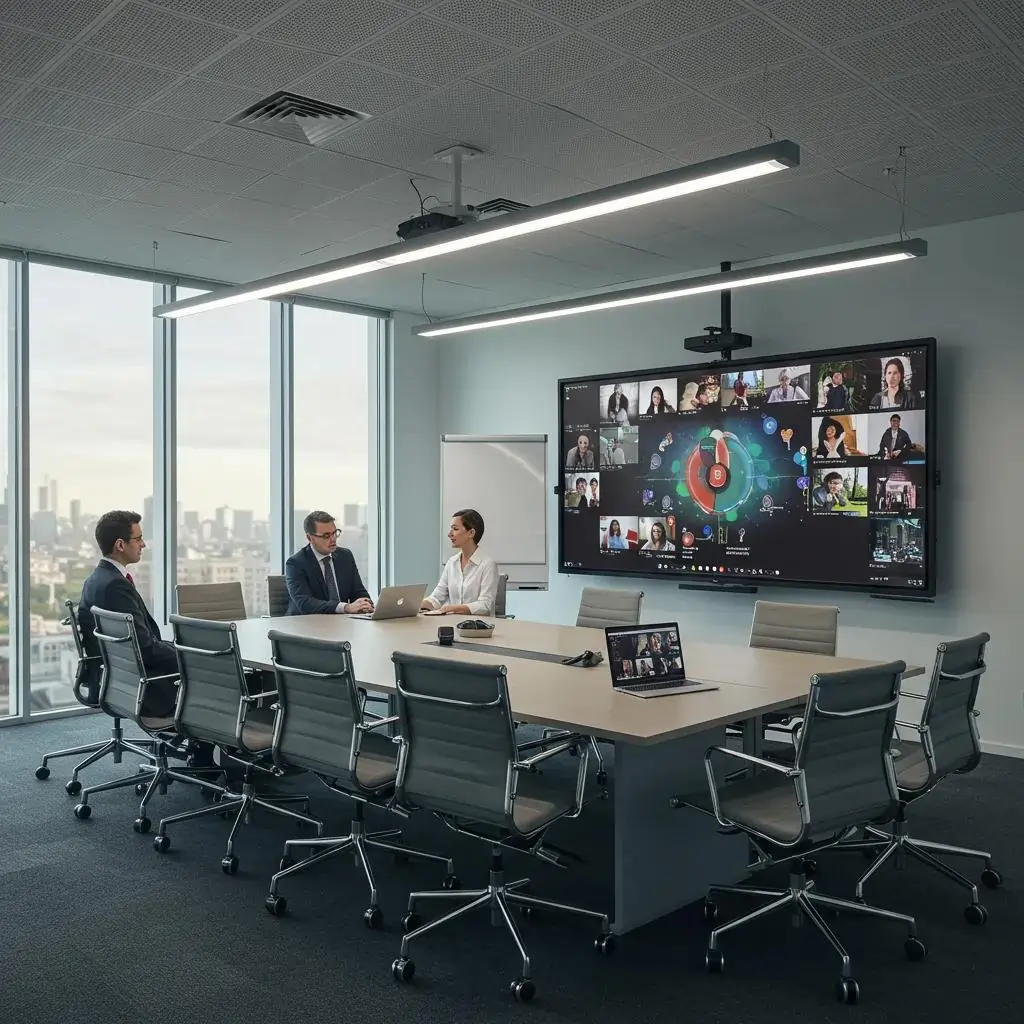
Boardroom AV solutions are the integrated audio-visual systems and workflows that enable clear communication, seamless collaboration, and faster decision-making in executive meeting spaces. This article explains how modern boardroom AV, including video conferencing systems, interactive displays, beamforming microphones, and integrated control panels, delivers measurable business outcomes such as reduced meeting time, improved stakeholder engagement, and lower travel costs. Readers will learn the key benefits, the technologies that define contemporary boardrooms, hybrid meeting best practices, emerging trends for 2025 and beyond, design and implementation guidance, evidence from anonymised client outcomes, and practical procurement advice. The focus is on actionable guidance for IT and facilities managers, corporate decision-makers, and AV planners looking to specify, deploy, and scale reliable boardroom solutions. Throughout, we also highlight a real-world example of Genconnect Technologies’ Boardroom AV offering as an illustrative end-to-end service that simplifies technology, enhances security, and supports tailored deployments for Sydney corporate environments.
What Are the Key Benefits of Boardroom AV Solutions in Corporate Meeting Rooms?
Boardroom AV solutions improve communication, collaboration, professionalism, and cost-efficiency by combining high-quality audio, video, displays, and control into a coherent user experience. Clear audio and video reduce misunderstandings, interactive displays and shared content speed decision cycles, and integrated control removes friction from meeting start/stop tasks, all of which translate into time saved and better business outcomes. Below is a concise list of the primary benefits and why they matter for corporate boardrooms.
The top benefits of boardroom AV solutions include:
- Enhanced communication clarity: High-fidelity audio and multi-camera video reduce miscommunication and support global stakeholders.
- Improved collaboration: Interactive displays and seamless screen sharing enable real-time co-creation and faster alignment.
- Faster decision-making: One-touch start and meeting automation reduce setup time and improve focus on agenda outcomes.
- Professional image and trust: Polished presentation quality reinforces corporate credibility with clients and partners.
- Cost efficiency and ROI: Reduced travel, fewer technical interruptions, and measurable time savings lower total operating cost.
Each benefit links directly to a technical capability, and the next subsections explain those mechanisms in actionable detail.
How Do AV Solutions Improve Communication and Collaboration?
Advanced AV features improve communication by ensuring remote and in-room participants see and hear the same content with low latency and consistent quality. Video systems with AI auto-framing and multi-camera layouts let remote attendees view the speaker and whiteboard simultaneously, while interactive displays and digital whiteboards enable synchronous annotation and persistent content that can be shared after the session. These capabilities reduce the need to repeat information, allow instant document editing, and support structured workshops where outcomes are captured in real time. The technical interoperability with major platforms further ensures that workflows remain familiar to users, which increases adoption and smooths collaborative work. Understanding these elements sets the stage for how AV shortens meeting time and improves decisions.
In What Ways Do AV Systems Boost Productivity and Decision-Making?
Boardroom AV systems boost productivity by eliminating common meeting frictions: slow starts, unclear audio, and fragmented content sharing. Features such as one-touch meeting start, integrated calendar and room scheduling, automated transcription, and action-item capture create a single source of truth for outcomes and reduce post-meeting follow-up. For executives, faster consensus often comes from clearer visual data presentation, persistent whiteboard artifacts, and immediate access to remote experts via high-quality video. These mechanisms reduce total meeting duration and accelerate approvals, making AV an operational productivity tool rather than a mere convenience. The productivity gains described here lead naturally into considerations of corporate image and cost-efficiency addressed next.
How Do Integrated AV Systems Enhance Professional Image and Cost Efficiency?
A well-designed AV environment projects a professional image through consistent audio-visual fidelity, tidy cabling, and intuitive controls, which influence client perceptions and stakeholder confidence. From a cost perspective, investments in reusable digital collaboration and remote attendance capabilities reduce travel expenditure and time lost to logistics, while standardised room templates simplify maintenance and spare-parts strategies. Integrated systems also reduce the frequency of ad-hoc technical support requests, lowering operational overhead and improving meeting reliability. These combined effects, better impressions and lower lifetime costs, make boardroom AV a strategic investment that supports both brand and balance sheet outcomes.
Which Technologies Define Modern Boardroom AV Solutions?
Modern boardroom AV solutions rest on four core technology areas: video conferencing endpoints and cameras, audio capture and processing, large-format interactive displays, and centralised control systems. Each area contributes specific functions: cameras capture participants and content, audio systems ensure intelligibility, displays present content and annotation surfaces, and control systems orchestrate user flows and integrations. Understanding the capabilities and interactions of these components helps teams specify equipment that matches room size and use cases.
Key categories of hardware and system components include:
- Video endpoints and cameras for framing, auto-tracking, and multi-source layouts.
- Microphones and audio DSP for beamforming, noise suppression, and echo cancellation.
- Interactive displays and digital whiteboards for shared annotation and persistent content.
- Integrated control systems for one-touch meeting start, calendar sync, and device monitoring.
The following table compares the major boardroom components to help you match features to room characteristics.
| Component | Primary Function | Recommended Room Size | Interoperability Notes |
| PTZ / AI camera | Auto-framing, multi-view video | Medium to large boardrooms | Works with Teams Rooms, Zoom Rooms, RTMP/WebRTC bridges |
| Beamforming microphone array | Directional audio capture, noise rejection | Small to large rooms (coverage varies) | Requires DSP; integrates with room endpoints |
| Interactive display / digital whiteboard | Touch, annotation, persistent content | Small huddle to large boardrooms (choose size by sightline) | Native apps or room PC; supports content sharing |
| Integrated control panel | One-touch meeting start, automation | Any boardroom | Integrates with calendars, scheduling systems and remote support tools |
This component-level view clarifies how individual parts combine into an end-to-end system. The next section drills into advanced video conferencing features that matter in executive rooms.
What Are the Features of Advanced Video Conferencing Systems for Boardrooms?
Advanced video conferencing systems combine camera arrays, room codecs or cloud room services, and intelligent layout management to present multiple perspectives and prioritise active speakers. AI features like auto-framing and speaker detection reduce manual camera control, while multi-camera setups allow close-ups of presenters alongside whiteboard and audience views. Room-based endpoints (e.g., certified room systems) provide a consistent, secure experience that is optimised for low-latency audio/video, while BYOD and browser-based options increase flexibility for ad-hoc meetings. Compatibility with major platforms and interoperability protocols (SIP, H.323, WebRTC) is critical to avoid communication silos and to ensure remote guests can join without friction.
How Do Interactive Displays and Digital Whiteboards Facilitate Collaboration?
Interactive displays and digital whiteboards turn passive presentations into collaborative workshops by allowing multiple users to annotate simultaneously, save session artifacts, and export meeting content instantly. These systems support remote co-editing, persistent canvases for follow-up work, and native integrations with conferencing platforms so that in-room annotations appear to remote attendees in real time. Size and resolution should be matched to room dimensions and sightlines: bigger rooms need larger, higher-resolution displays to keep small text legible. The net effect is faster ideation cycles and clearer visual outcomes from strategic sessions.
What Role Do Boardroom Audio Systems Play in Ensuring Crystal Clear Sound?
Audio systems are central to effective meetings: clear capture and natural playback ensure all participants are equally heard and understood. Beamforming microphone arrays and boundary mics provide targeted pickup while DSP-based echo cancellation and noise suppression remove background interference. Speaker placement and appropriate power ratings produce even coverage without hotspots, and acoustic treatment reduces reverberation so electronic processing is not overtaxed. Prioritising audio design based on room acoustics yields the most noticeable improvement in remote participant experience and meeting effectiveness.
How Do Integrated AV Control Systems Simplify Boardroom Management?
Integrated control systems reduce complexity by automating routine tasks such as one-touch meeting start, display routing, and scheduled AV states for different meeting types. Centralised management enables remote monitoring, firmware updates, and troubleshooting without on-site intervention, while calendar and room-booking integration prevents double bookings and ensures the correct system profile is loaded for each session. These automation capabilities shorten setup time, lower support tickets, and improve consistency across multiple rooms in a campus or building.
How Can Hybrid Meeting Room Technology Transform Corporate Boardrooms?
Hybrid meeting room technology bridges remote and in-person participation by designing the physical layout and AV workflows to equalise experience for all attendees. A hybrid-optimised room considers camera sightlines, microphone coverage, display placement, and network resilience to ensure remote participants can perceive meeting dynamics and contribute meaningfully. Best practices focus on arranging the environment so that remote attendees see the speaker, shared content, and non-verbal cues, which together recreate a natural meeting experience across locations. Below are practical setup and policy steps to make hybrid meetings work.
Best-practice checklist for hybrid meeting rooms:
- Ensure camera placement captures both speaker and audience sightlines for context.
- Provide microphone coverage for each seated participant to avoid dropouts.
- Use a primary display for shared content and a secondary display for participant gallery.
- Secure a dedicated network path or VLAN and implement QoS for AV traffic.
Adopting these practices enables equitable participation and sets expectations that improve meeting outcomes. The next subsections cover specific layout, UX, and platform integration recommendations.
What Are the Best Practices for Setting Up Hybrid Meeting Rooms?
Effective hybrid setups start with a site survey that maps participant positions, sightlines, and acoustic reflections, then select cameras and microphones sized to those patterns. Lighting should be balanced to avoid glare and ensure faces are visible to remote attendees, while displays must be positioned so in-room participants can see remote video and shared content simultaneously. Network design is equally important: dedicate bandwidth, use VLAN segmentation, and implement redundancy where possible to avoid packet loss that degrades audio/video. Establishing simple user flows and quick-reference guides helps staff start meetings efficiently and follow hybrid etiquette.
Best Practices for Hybrid Meetings in the Contemporary Workplace
Video conferencing technology has become ubiquitous in the professional and personal lives of millions following the COVID-19 pandemic. While this technology had been steadily becoming commonplace, the lockdowns implemented in response to the pandemic rapidly accelerated this trend. A consequence of this seemingly overnight shift in working practices was that users were left to determine for themselves how best to utilise this technology, resulting in adverse effects such as distractions, stress, and inefficient meetings. Although offices eventually reopened as the threat of the virus subsided, many companies continued to permit employees to work remotely, giving rise to the concept of hybrid meetings. The objective of this project is to identify best practices for hybrid meetings through research involving participants and facilitators of meetings and large presentations, and to present this information in a condensed infographic.
Best Practices for Hybrid Meetings, 2022
How Do AV Solutions Support Seamless Collaboration Between Remote and In-Person Participants?
AV systems support seamless hybrid collaboration through multi-camera switching, content management that prioritises screen sharing fidelity, and latency mitigation techniques such as adaptive bitrate and forward error correction. Automatic speaker-tracking and gallery views provide context, while content routing ensures high-resolution whiteboard data reaches remote attendees without compression artifacts. Providing consistent join methods, whether through scheduled room systems, personal devices, or browser links, minimises friction and preserves attention on agenda items. These measures reduce meeting fatigue and encourage productive hybrid participation.
Navigating Hybrid Meetings: Successes and Failures in the Contemporary Workplace
Hybrid meetings, wherein co-located and remote participants connect via video or audio, have become ubiquitous in the globalised contemporary workplace. Despite, or perhaps because of this ubiquity, conducting hybrid meetings is not straightforward. In this paper, we investigate the opportunities and challenges presented by hybrid meetings. We conducted a multi-site study of hybrid meetings within two global software companies in Europe, employing participant observation, semi-structured interviews, and video analysis. Our findings indicate a significant diversity in formats and requirements for hybrid meetings across different working environments. Furthermore, participants in hybrid meetings perceive and manage a range of both anticipated and emergent issues. While some problems can be attributed to difficulties or failures in technical infrastructure, others arise from asymmetries in interaction and social and cultural contexts between the co-located and remote settings. We contend that managing these asymmetries is crucial for the success of hybrid meetings.
Hybrid meetings in the modern workplace: stories of success and failure, B Saatçi, 2019
Which Video Conferencing Platforms Integrate Best with Boardroom AV Systems?
Certain conferencing platforms offer certified room system integrations and native device support that simplify deployment in boardrooms, while others provide extensive browser-based compatibility for BYOD scenarios. Platform choice should consider native room licensing, hardware certification programs, and interoperability (SIP/H.323 gateways or cloud-bridging) for mixed ecosystems. Where multiple platforms are used across an enterprise, vendor-neutral components and cloud-bridging services maintain flexibility and reduce the cost of vendor lock-in. The table below compares common platform integration attributes to guide selection.
| Platform | Strength | Integration Notes |
| Native Room Systems | Certified room experience | Simplifies one-touch joins and device management |
| Browser-based (WebRTC) | BYOD flexibility | Low friction for guests; depends on network resilience |
| SIP/H.323 Gateways | Legacy interoperability | Enables calls between traditional endpoints and cloud services |
This comparison clarifies trade-offs: choose certified room integrations for a uniform executive experience, and use browser-based options for flexible guest access.
What Are the Emerging Trends in Boardroom AV Technology for 2025 and Beyond?
Emerging trends for 2025 emphasise AI-driven meeting intelligence, IoT-enabled room management, sustainability in procurement, and selective use of immersive technologies. AI adds automated transcription, actionable summaries, and predictive maintenance alerts that reduce downtime and surface insights from meeting content. IoT sensors optimise utilisation and energy consumption while supporting booking logic based on occupancy, and sustainable choices in hardware and lifecycle planning reduce environmental and total-cost impacts. These trends change procurement priorities and the expected ROI profile of AV investments.
Key trends and their business impacts:
- AI-powered meeting intelligence: Automated notes and analytics speed follow-up and decision tracking.
- IoT smart room integration: Occupancy and environmental controls reduce energy waste and improve utilisation.
- Sustainable AV procurement: Energy-efficient displays and lifecycle planning lower long-term costs and carbon footprint.
- Targeted AR/VR uses: Immersive tech augments certain design and training sessions but remains specialised.
These trends are complementary: AI and IoT combine to reduce operational friction while sustainability and selective immersion shape strategic choices for room types.
How Is AI-Powered AV Enhancing Meeting Efficiency and Automation?
AI features improve meetings by transcribing dialogue, generating concise meeting summaries, and performing speaker diarisation to attribute comments automatically. Camera intelligence provides auto-framing and speaker detection, reducing manual operator tasks and keeping focus on content. Predictive maintenance uses analytics from devices to flag potential failures before they occur, improving uptime and reducing reactive service calls. These capabilities shorten post-meeting follow-up, improve accuracy of records, and lower support costs, which together strengthen the business case for modern AV investments.
What Impact Does IoT Have on Smart Boardroom AV Solutions?
IoT integration brings occupancy sensors, environmental monitoring, and scheduled power management into the AV ecosystem, enabling data-driven room utilisation and energy savings. Occupancy analytics feed room booking systems to release idle spaces, while HVAC and lighting integration reduces wasted energy when rooms are idle. Aggregated utilisation data informs capacity planning and helps justify additional investments or consolidations. The practical result is better space efficiency and measurable operational savings over time.
How Are Sustainable AV Solutions Shaping Corporate Boardroom Design?
Sustainable AV design prioritises energy-efficient displays, modular hardware that reduces waste, and procurement policies that consider end-of-life recycling and repairability. Choosing low-power modes, LED-backlit displays, and standardised cabling reduces energy use and extends component lifecycles. Lifecycle planning including spare-parts strategies and refurbishment options lowers total cost and environmental impact. These procurement choices align AV strategy with corporate sustainability goals and reporting requirements.
What Role Do Immersive Technologies Like AR and VR Play in Boardroom Experiences?
AR and VR are finding niche roles in boardrooms for design reviews, immersive presentations, and specialist training where spatial context matters. These technologies require specific hardware, user training, and clear use-case justification because they introduce complexity and higher per-seat cost. When deployed for the right applications, such as product design collaboration or scenario training, immersive tools can accelerate understanding and reduce the need for physical prototypes or travel. For most boardroom meetings, traditional AV remains the most cost-effective and accessible choice.
How Should Businesses Design and Implement Integrated AV Systems for Corporate Boardrooms?
Designing and implementing AV systems requires a structured process: site survey and requirements capture, equipment selection and cabling, installation and commissioning, user training and support models. A thorough site survey identifies acoustics, sightlines, and network capacity while use-case mapping determines whether rooms need single-purpose layouts or flexible configurations. Scalable designs that use standardised templates, modular hardware, and centralised management reduce rollout complexity for multiple rooms. The following subsections outline design factors, scalability, and support considerations that ensure long-term performance.
What Are the Key Factors in Boardroom AV System Design and Installation?
Key design factors include room geometry and acoustics, participant layout and sightlines, cable pathways and AV rack placement, and network bandwidth planning. A professional site survey assesses reverberation time and informs acoustic treatment needs, while cabling and structured wiring ensure signal integrity and future-proofing. Network design must prioritise AV traffic and provide redundancy to maintain quality during peak loads. Close coordination between AV designers, IT, and facilities teams during installation reduces rework and ensures the system meets operational expectations.
How Can Scalability and User Training Improve AV System Adoption?
Scalability depends on consistent room templates, centralised management, and phased rollouts that allow early wins to guide deployment of subsequent rooms. User training, delivered as short on-site sessions, quick-reference guides, and short how-to videos, accelerates adoption by reducing initial friction. Remote administration and firmware management enable rapid updates and standardisation across a fleet of rooms. These practices ensure users trust the systems and IT teams can scale support with predictable processes.
Within design and implementation workflows, Genconnect Technologies’ Boardroom AV service provides an end-to-end option for organisations seeking a single vendor to manage design, installation, cabling, and ongoing support. Genconnect emphasises simplifying technology, improving security, delivering tailored solutions, and maintaining transparency through clear service agreements. Organisations considering an external partner benefit from providers that offer design-led planning, certified installations, and user training to accelerate adoption and protect long-term performance.
What Support and Maintenance Services Ensure Long-Term AV Performance?
Long-term performance is sustained through preventative maintenance, remote monitoring, SLA-backed response tiers, and accessible spare-parts inventories. Remote monitoring provides early alerts for failing components and enables many issues to be resolved without site visits, while scheduled preventive maintenance reduces unexpected downtime. Clear SLAs define response times for priority incidents and support escalation paths. Combining proactive monitoring with a lifecycle plan and spare-parts strategy protects uptime and investment value.
Which Case Studies Demonstrate the Impact of Genconnect’s Boardroom AV Solutions?
Genconnect Technologies delivers Boardroom AV projects that combine video conferencing, interactive displays, PA systems, and TV mounting with cabling and telecommunications support for Sydney-based clients. The examples below use anonymised client narratives and metric-focused outcomes to demonstrate typical improvements in meeting efficiency and total cost of ownership. These case outlines illustrate how tailored design, robust installation, and proactive support work together to deliver measurable results.
How Did Genconnect Improve Meeting Efficiency for Corporate Clients?
In anonymised client engagements, Genconnect deployed one-touch room systems, beamforming microphones, and interactive displays to replace unreliable legacy setups that caused frequent delays. Post-install observations showed reduced technical interruptions and faster meeting starts as users transitioned from troubleshooting to agenda execution. The combined effect was fewer service calls and greater user satisfaction, with meetings proceeding on schedule more consistently. The operational improvements emphasise how integrated design and training reduce friction and free time for high-value activities.
What ROI Benefits Have Clients Experienced from Integrated AV Systems?
The ROI from integrated AV stems from reduced travel, time savings, and lower reactive support costs. The table below presents anonymised before/after metrics from representative client projects to illustrate typical outcomes and the methodology used to estimate savings.
| Outcome Metric | Baseline | Post-install Result |
| Average meeting setup time | 12 minutes | 3 minutes |
| Technical interruptions per month | 6 incidents | 1 incident |
| Estimated annual travel spend for critical meetings | $120,000 | $72,000 |
These sample metrics demonstrate how faster starts, fewer interruptions, and the ability to include remote participants produce time and travel savings. When combined with lifecycle improvements and reduced support costs, the aggregated ROI often justifies the initial investment in modern boardroom AV.
How Do Customer Testimonials Reflect the Value of Genconnect’s AV Services?
Client feedback after implementation commonly highlights the reliability of scheduled meetings, the simplicity of one-touch controls, and the responsiveness of support. While specific quotes are anonymised, clients emphasise improved meeting quality and reduced operational overhead as primary benefits. These qualitative indicators align with the quantitative metrics above and underscore the importance of design, installation quality, and ongoing service in delivering business outcomes. Organisations considering a partner should prioritise companies that combine technical expertise with transparent service models.
What Are the Best Practices for Choosing and Integrating Boardroom AV Solutions?
Selecting and integrating boardroom AV requires matching components to room size and use case, favoring interoperable and vendor-neutral solutions, and planning for upgrade paths and standardised cabling. Procurement should prioritise certified room solutions for executive spaces, while flexible BYOD-enabled setups suit ad-hoc huddle rooms. Plan for modularity so individual components can be upgraded without a full system replacement, and standardise room templates to simplify support and training. The next subsections provide sizing rules, interoperability advantages, and future-proofing steps.
How to Select the Right AV Components for Different Boardroom Sizes and Needs?
Choose display size by sightline rules (display diagonal approximately one-sixth to one-eighth of room depth) and match microphone coverage to seats (array or multiple boundaries for larger tables). Speaker power and placement should account for room volume and acoustic treatment to avoid excessive electronic compensation. Camera selection depends on sightlines and the need for presenter close-ups versus room overview. These sizing rules help ensure component choices deliver consistent, predictable performance across rooms.
What Are the Advantages of Interoperable AV Systems Across Multiple Platforms?
Interoperability reduces vendor lock-in, supports a user base that uses multiple conferencing platforms, and simplifies rollouts across locations with mixed preferences. Protocols, gateways, and cloud-bridging preserve investment when platform choices evolve or when guest workflows require different join methods. Choosing vendor-neutral control and cabling components enables organisations to swap endpoints or services without costly rewiring or retraining. This flexibility lowers long-term risk and supports phased migration strategies.
How Can Businesses Future-Proof Their Boardroom AV Investments?
Future-proofing starts with modular hardware, standardised cabling (structured wiring), reserved power and network capacity, and a governance cadence for firmware and review cycles. Maintain a spare-parts policy and choose upgradeable endpoints where camera or codec modules can be replaced independently. Periodic reviews of usage data and technology roadmaps ensure systems evolve with organisational needs. These steps keep AV investments aligned with business priorities and reduce the likelihood of expensive wholesale replacements.
- Plan modular upgrades: Design systems so components can be replaced independently.
- Standardise templates: Use consistent room templates for scale and ease of support.
- Schedule reviews: Set regular reviews for firmware, usage data, and roadmapping.
These procurement practices minimise disruption and protect the value of AV investments while enabling organisations to adapt to changing collaboration demands.
This article has outlined the benefits, technologies, hybrid practices, trends, design and implementation guidance, company-specific outcomes for Genconnect Technologies’ Boardroom AV services, and procurement best practices that together help corporate teams specify and sustain high-performing boardroom AV systems.